Castify Submit AI

AI-Powered Tools for Every Assignment
Submit AI brings together a suite of AI-powered tools that handle the time-consuming parts of teaching. From creating assignments and building rubrics to grading submissions and delivering personalized feedback, AI takes care of the admin so you can focus on what you do best.
Where millions turn to power productivity every day
434M+
videos created
12.4M+
users
150+
countries served
Why Choose Castify Submit AI

The fastest path from assignment to feedback

Communication bubble icon.
No more starting from scratch
Describe what you want and AI generates the full assignment and rubric in seconds. Skip the blank page and get straight to teaching.
Thumbs up icon.
Consistent grading, every time
Every submission gets an AI-suggested score with clear reasoning. You review and finalize, no more second-guessing or inconsistency.
Flipped classroom icon.
Feedback that actually helps learners
Students get personalized, actionable feedback the moment they submit, not days later. They know what to fix while there is still time to fix it.
Proposal presentation icon.
Insights that tell you what to do next
See how your cohort performed, where they struggled, and what to address next. Your next lesson is one click away.
Instant Assignment Creation

Go from idea to assignment in seconds.

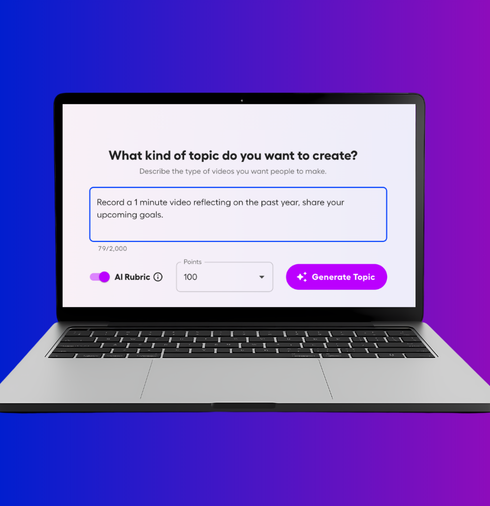
Tell AI what assignment you want to create. It generates the full instructions in seconds, ready to share or adjust. Spend less time entering data and more time on the work that moves learners forward.
AI-Built Rubrics

Polished rubrics, ready to go.

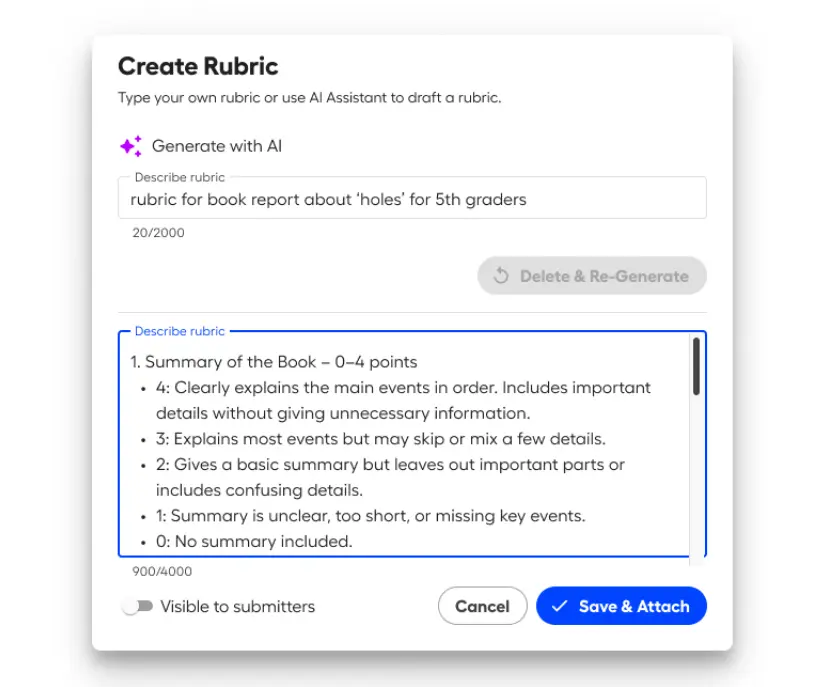
No more building scoring criteria from scratch .Submit AI takes your assignment title and description and generates a polished, professional rubric instantly. Share it directly with learners so they know exactly what is expected before they record, or adjust it to fit your style before it goes out.
Smarter, Faster Grading

Review grades in minutes, not hours.

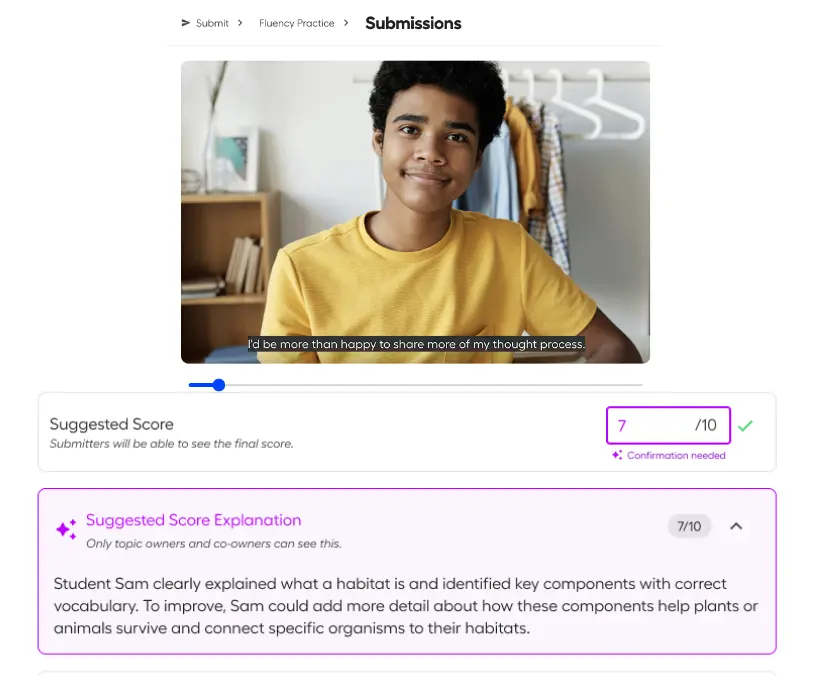
Every submission comes with an AI-suggested score and a clear explanation of the reasoning behind it. Review, edit if needed, and finalize in a fraction of the time it would take to grade manually. With consistent scoring criteria applied to every submission, you can move through your queue faster without second-guessing whether your feedback is fair or consistent.
Actionable Insights

Your data tells you what to teach next.
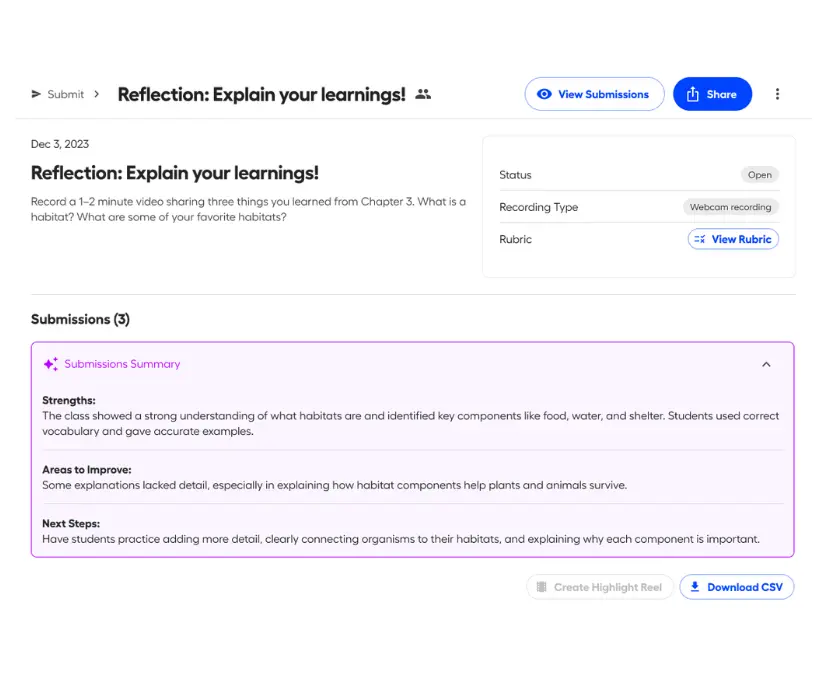
Get a clear summary of how your cohort performed, where they struggled, and what to tackle next. Whether it is a follow-up lesson or a new topic entirely, your next move is right there.
Multilingual Video Access

Reach every learner, in any language.
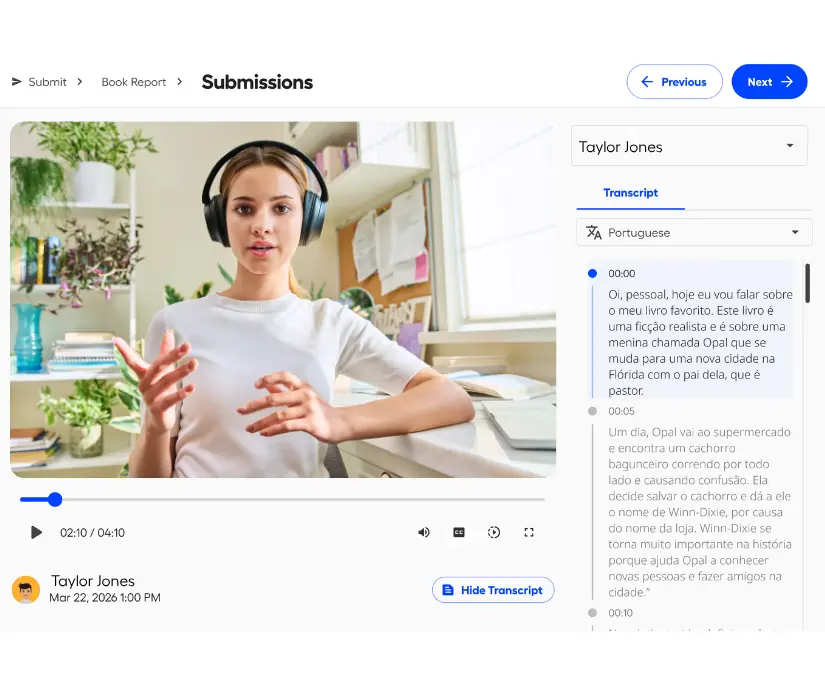
AI-generated translations make your video content accessible in any language. No extra work on your end, and no language barrier standing between your learners and the content they need.
Instant Learner Feedback

Instant, personalised feedback

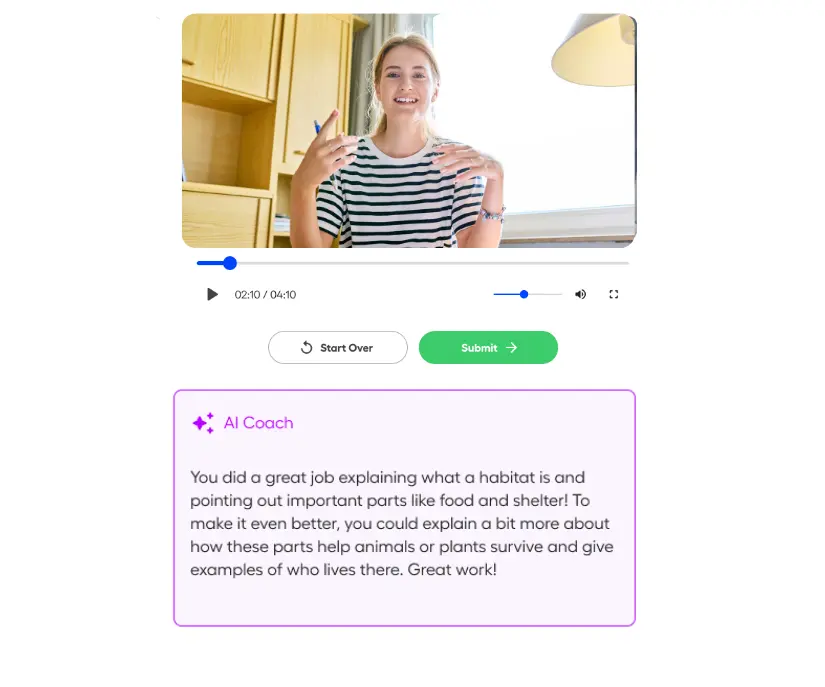
Every student or trainee gets personalized, actionable feedback the moment they submit a draft. They know exactly what to improve before the final version is due, giving them a real opportunity to act on the feedback while it still matters.

Ready to try Submit AI?

Submit AI is available as an add-on to any Castify Submit Pro plan. Pick the features that fit your workflow and upgrade your workflows.
FREQUENTLY ASKED QUESTIONS

Everything you need to know before getting started.

Do I have to use all the AI features?

No. Every Submit AI feature is optional. Use AI rubrics without turning on grading, or enable captions and translations on their own. You pick what fits your workflow.

Can students see the rubric before they submit?

That is up to you. When setting up an assignment, you can choose whether to make the rubric visible to submitters. If you do, they can review it alongside the assignment instructions before they record.

How do credits work?

Each AI action uses one credit. Creating a topic, generating a rubric, grading a submission, and coaching a learner on a draft each cost one credit. Submission summaries and recommended next steps are included at no extra credit cost. If an AI action fails for any reason, you are not charged. Trial users get 20 free credits to explore the features before committing to a plan.

What happens if I run out of credits while submissions are still coming in?

Any assignments with AI grading or captions enabled will show a warning that some tasks are pending. Once credits are available again, those tasks pick up right where they left off. You can also cancel pending tasks to clear the warning.


Save hours every week, starting now.

Every minute you spend on admin is a minute away from teaching. Submit AI gives that time back.