Castify Submit

Collect video responses at scale
Request video submissions from anyone with a simple link. Collect customer testimonials, student assignments, employee feedback, or user research without coordinating schedules or conducting interviews. Castify Submit makes gathering video responses effortless.
Student recording a video using Castify submit.
Where millions turn to power productivity every day
434M+
videos created
12.4M+
users
150+
countries served
Why Choose Castify Submit

The easiest way to collect video content

Calendar icon.
No scheduling required
Send a link and recipients record on their schedule. No calendar coordination, no video calls, no timezone juggling. They respond when convenient.
Tablet icon.
Works on any device
Recipients record using their phone, tablet, or computer. No apps to download, no accounts to create. Just click, record, and submit.
Video reel icon.
Automatic highlight reels
Merge the best submissions into compelling highlight reels with one click. Showcase customer stories, celebrate student work, or share team feedback instantly.
Thumbs up icon.
Simple for everyone
If someone can use a camera, they can submit a video. No technical skills required for you or your respondents. Recording and submitting takes minutes.
Reimagined for simplicity

Everything you need to collect video content

From sending requests to creating highlight reels, Castify Submit gives you professional video collection tools that anyone can use.
Easy Collection

Send requests with a simple link

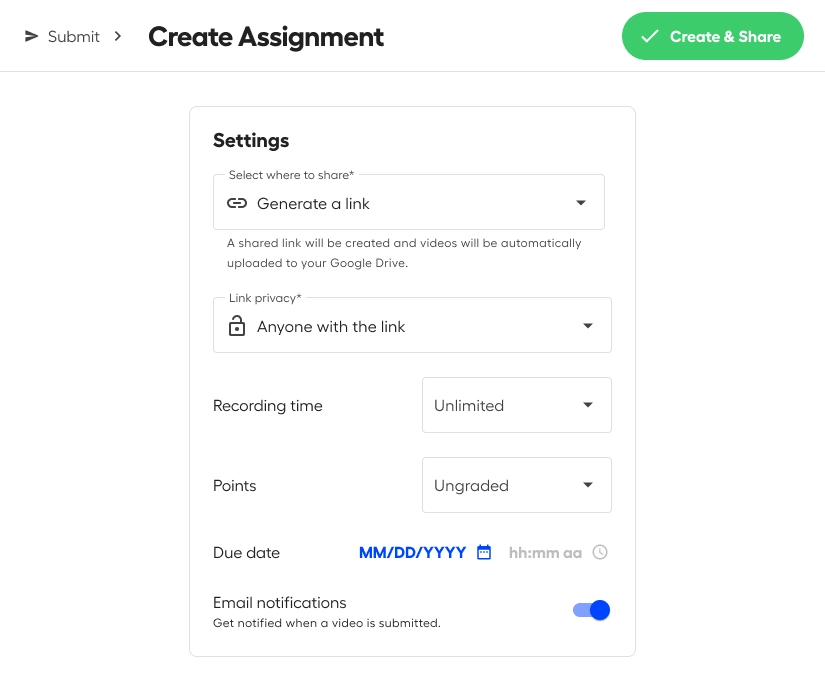
Create a video request topic with custom prompts and instructions. Share the link via email, text, social media, or your website. Recipients click and record their response. All submissions come back to you automatically without managing files or coordinating anything.
Easily control sharing and privacy settings.
Flexible Recording

Let people record their way

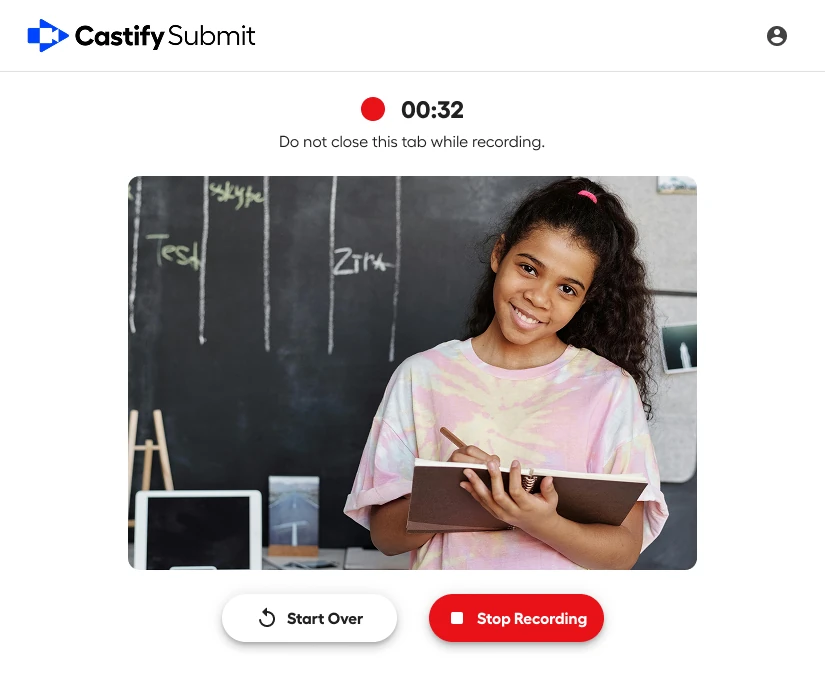
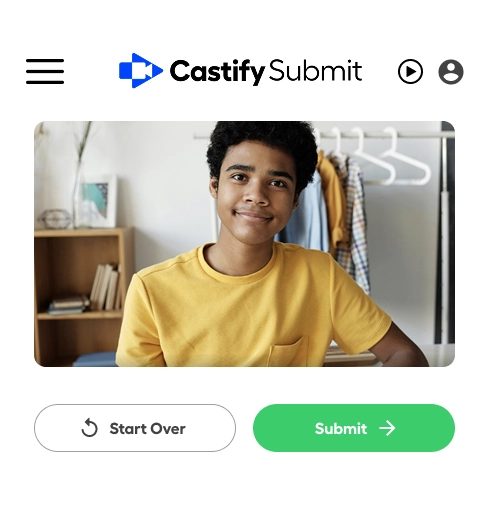
Recipients choose whether to record their screen, webcam, or both. They can review their recording before submitting and re-record if needed. Add time limits to keep responses focused, or allow longer submissions for detailed feedback. Works on any device with a camera and browser.
View and manage your recording before submitting.
Custom Prompts

Guide responses with tailored questions
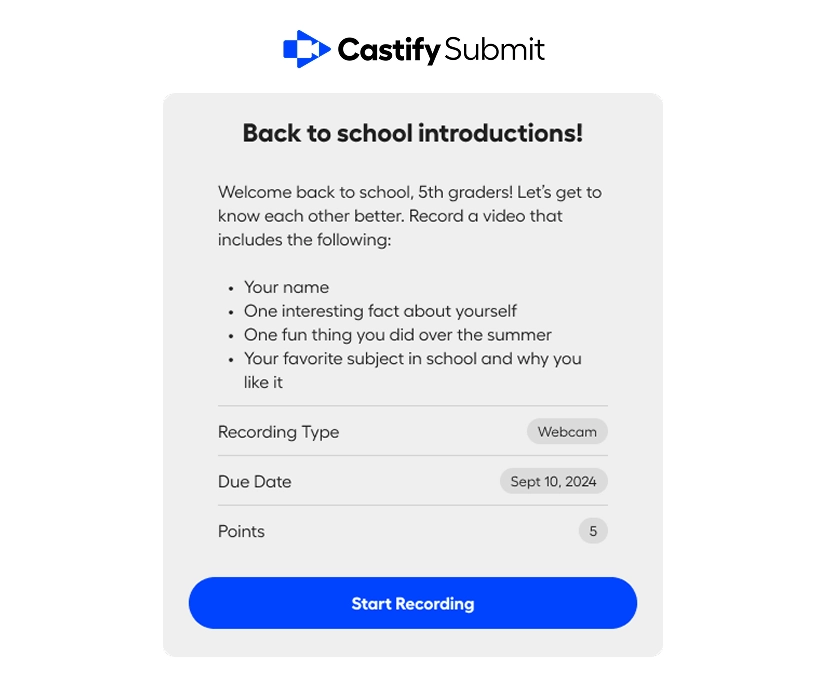
Add specific questions or prompts to guide what people record. Provide examples or templates to help respondents know exactly what to say. Set parameters like time limits or required elements to ensure consistency. Collect exactly the content you need without vague or off-topic responses.
Add prompts to your video collection requests to guide responses.
Instant Compilation

Create highlight reels automatically

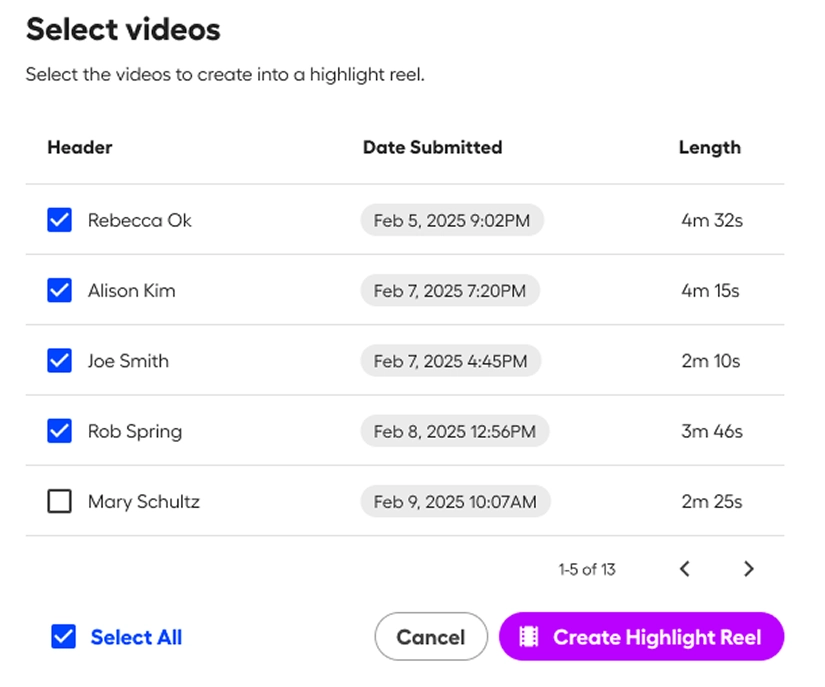
Select your favorite submissions and merge them into a single highlight reel with one click. Castify Submit automatically sequences clips, adds transitions, and creates a polished compilation. Edit the order, trim individual clips, and export your finished video. Turn dozens of submissions into shareable content in minutes.
Automatically merge videos to create a highlight reel.

Ready to start collecting videos?

Join thousands using Castify Submit to gather testimonials, assignments, feedback, and stories without the hassle of interviews or scheduling.

One video collection tool, endless possibilities

Smily face icon.
Customer testimonials & reviews
Collect authentic video testimonials from happy customers. Build social proof at scale without scheduling interviews or hiring production teams.
Video assignment icon.
Student video assignments & projects
Assign video presentations, project demonstrations, or reading responses. Students submit on their schedule and you review all submissions in one place.
Employee story icon.
Employee feedback & culture stories
Gather video feedback on initiatives, collect employee testimonials for recruiting, or capture team celebrations. Make everyone's voice heard without lengthy surveys.
Powerpoint presentation.
User research & product feedback
Request video showing how people use your product, where they get confused, or what features they love. See real usage and get context that surveys miss.
Woman recording a video on her phone using Castify Submit.
FREQUENTLY ASKED QUESTIONS

Everything you need to know before getting started.

What happens to videos after people submit them?

All video submissions are sent directly to you and stored securely in your Castify Submit dashboard. You control who can view submissions and you decide which videos to include in highlight reels or share externally. Respondents don't have access to other submissions unless you explicitly share them.

Can I collect videos from large groups of people?

Yes. Send the same submission link to as many people as you need. We offer plans with no limit on the number of responses you can collect for a single topic. This makes Castify Submit perfect for collecting testimonials from your entire customer base, assignments from large classes, or feedback from company-wide initiatives.

How long does it take to create a highlight reel?

Just minutes. Review your submissions, select the clips you want to include, and Castify Submit automatically merges them into a highlight reel. You can reorder clips, trim sections, and make adjustments before exporting. What used to take hours with traditional video editing now takes minutes.

What if someone records a video they don't want to submit?

Recipients can review their recording before submitting and re-record as many times as they want until they're happy with it. They're in complete control and only submit when satisfied. This leads to better quality submissions and more confident participants.

Start collecting videos today

Whether you're collecting your first testimonial or your thousandth assignment, Castify Submit makes video collection simple, fast, and professional.