Screencastify

Screen and video recording made simple
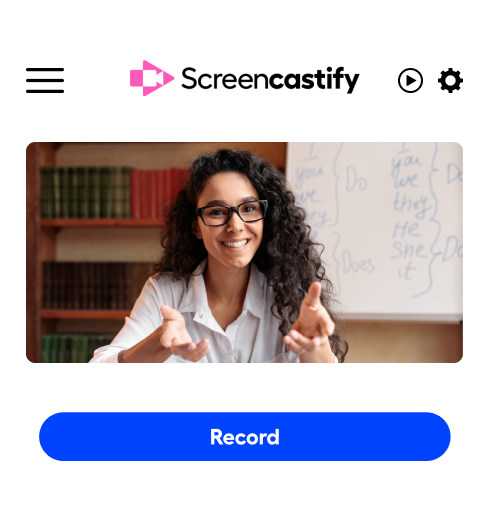
Create professional screen recordings in your browser. Record your screen, webcam, or both, then edit and share in minutes. No downloads, no complexity, no limits on what you can create.
English teacher recording a message for her students.
Where millions turn to power productivity every day
434M+
videos created
12.4M+
users
150+
countries served
Why Choose Screencastify

The fastest way to build professional video content

Record video.
Record in your browser
No software to download or install. Start screen recording with one click directly from Chrome or Edge.
Scissors icon.
Edit like a pro
Polish your video recordings with our AI-powered editing tools. Trim mistakes, add captions, and enhance your message.
Share to network icon.
Share instantly
Generate a shareable link the moment you finish recording. Embed videos in emails, websites, or learning platforms.
People icon.
Built for everyone
Whether solo or as part of an org, get the security, controls, and collaboration features you need to scale.

See Screencastify in action

Watch how easy it is to create and share professional screen recordings and video recordings, all from your browser.
Reimagined for simplicity

Everything you need for video recording

From capturing your screen to sharing your final video, Screencastify gives you professional-grade screen recording and editing tools that anyone can master.
Flexible recording Options

Capture your screen, your way

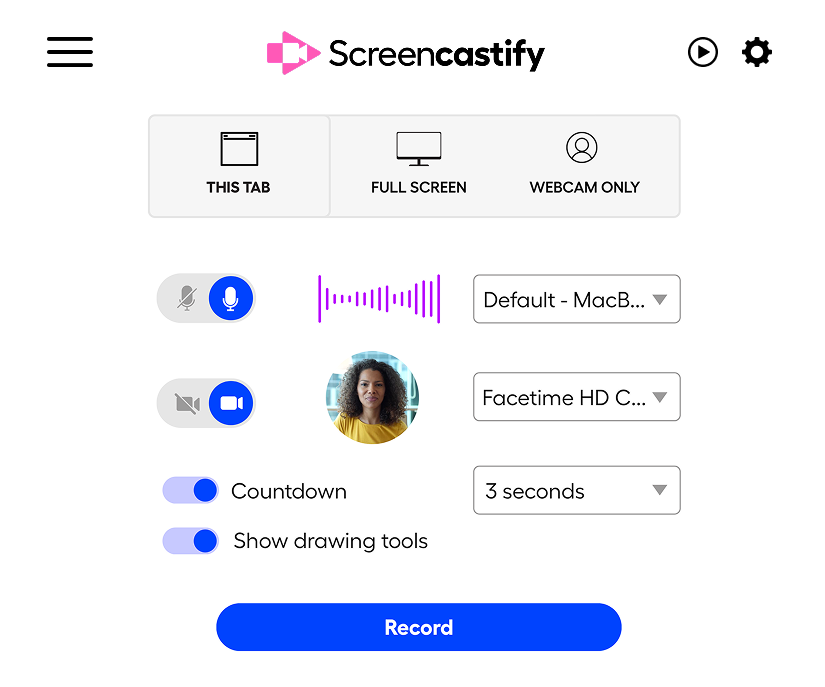
Record your full screen, browser tab, or webcam - or combine them for engaging picture-in-picture videos. Capture system audio, microphone input, or both. Whether you're creating a software demo, tutorial, or video message, Screencastify's screen recording options adapt to exactly what you need to show.
Screencastify video recording browser extension settings.
On-Screen Guidance

Stay on message with the teleprompter
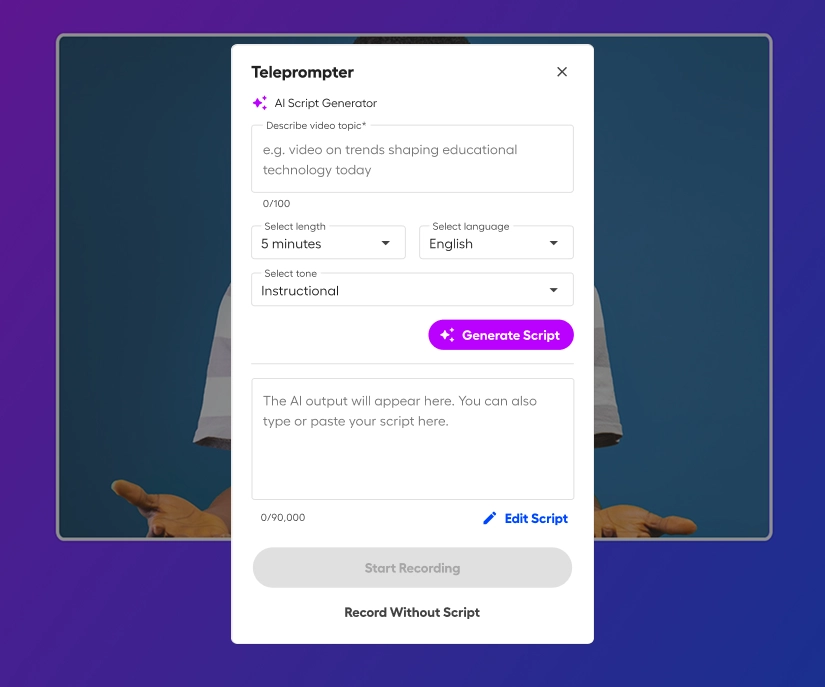
Deliver confident, professional recordings every time with the built-in teleprompter. Write your own script or let AI generate one for you based on your topic. The script scrolls smoothly on screen while you record, helping you stay on track without memorizing lines or relying on notes. Perfect for product demos, training videos, and presentations where clarity and consistency matter.
Use AI to generate a script.
Simple Editing

Easy-to-use video editing tools

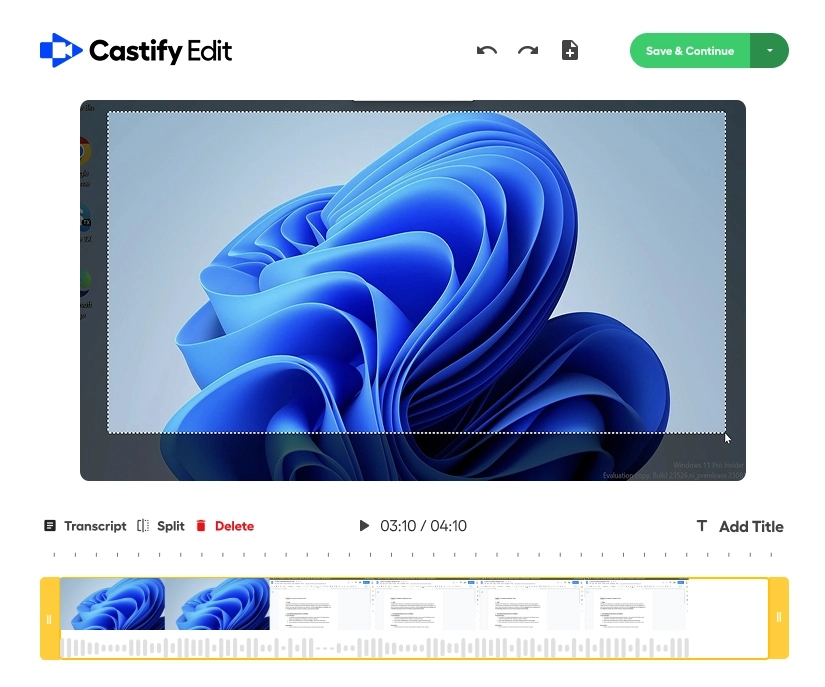
Polish your video recordings with AI-powered editing that feels effortless. Edit using text-based transcript editing, add automatic captions, and translate into multiple languages. Merge clips, apply smart zooms to highlight key areas, and blur sensitive information. No steep learning curve, just powerful editing tools that work the way you think.
Castify Edit
Smart Sharing & Integration

Share recordings that work everywhere
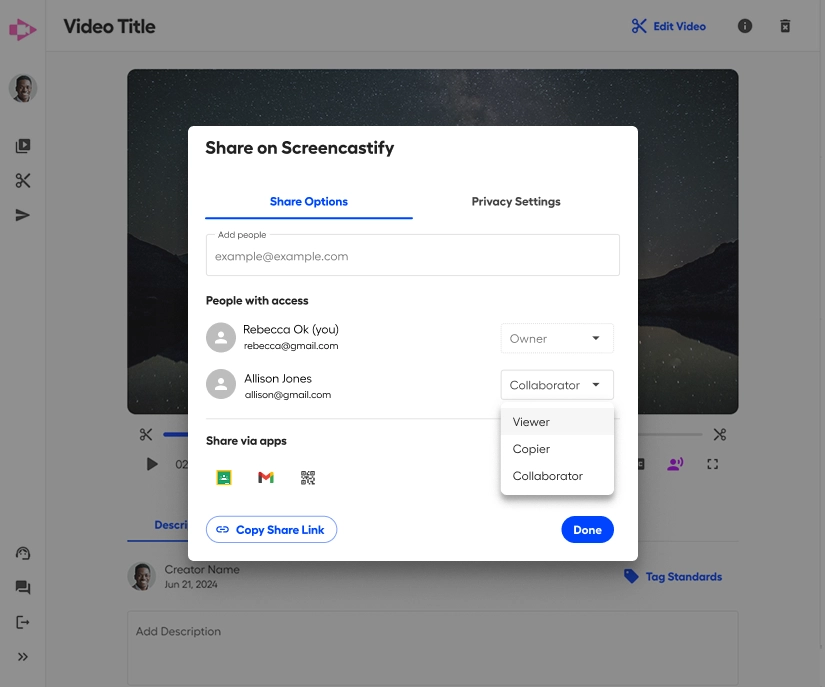
Get an instant shareable link for every video recording, or embed directly into Google Classroom, Canvas, your website, or any platform you use. Set privacy controls, track views, and gather feedback. Your screen recordings integrate seamlessly with Google Drive, YouTube, Gmail, Microsoft Outlook, and dozens of other tools your team already uses.
Sharing options for your video recording.

Ready to level up your communication?

Join millions who've simplified their workflow with screen recording and video recording. Start creating professional videos today. No credit card required.

One screen recording tool, endless possibilities

Demo icon.
Sales demos & product walkthroughs
Win deals with personalized video recordings that showcase your product in action.
Certificate icon.
Training & employee onboarding
Scale your training with screen recordings that new hires can watch anytime, anywhere.
Message bubble icon.
Bug reports & customer support
Show don't tell, and resolve issues faster by recording the problem instead of writing lengthy emails.
Powerpoint presentation.
Tutorial videos & how-to content
Create engaging instructional content by recording your screen with clear explanations.
Woman using Screencastify's screen recorder on her laptop.
FREQUENTLY ASKED QUESTIONS

Everything you need to know before getting started.

What's the difference between screen recording and video recording in Screencastify?

Screencastify lets you do both! Screen recording captures what's happening on your computer screen - perfect for demos, tutorials, and presentations. You can also add video recording from your webcam simultaneously, creating picture-in-picture videos that show both your screen and you. Or record webcam-only videos for video messages and announcements.

Do I need to download software to use Screencastify?

No downloads required. Screencastify is a browser extension that works directly in Chrome and Edge. Simply add the extension and you're ready to start screen recording. It's the fastest way to begin creating video recordings without installing bulky desktop software.

What are the recording limits on the free plan?

Our free plan includes 10 screen recordings up to 30 minutes each. It's perfect for individuals needing quick demos, tutorials, and video messages. Upgrade to a paid plan for unlimited recordings, advanced AI editing features, and video export options. All plans include the core screen recording and video recording features you need.

Can I use Screencastify for my team or organization?

Absolutely! Our organizational plans are designed for teams with features like centralized billing, admin controls, shared video libraries, advanced security, and priority support. Whether you have 5 users or 5,000, we have a plan that scales with your video recording needs.

Where are my screen recordings stored and can I download them?

Your video recordings are securely stored in the cloud and can be accessed from any device. You can also download your videos as MP4 files, export to Google Drive, upload to YouTube, or save locally. You maintain full ownership and control of all your screen recordings. Export and use them anywhere you need.


Start creating better videos today

Whether you're recording your first screen capture or your thousandth, Screencastify makes video recording simple, fast, and professional.