AI & Automation
Oct 7, 2025
5 Simple Ways AI Can Save Teachers Time
Learn how AI tools streamline lesson planning, grading, video creation, and feedback for teachers. Practical strategies to reclaim hours each week.

Teachers juggle dozens of tasks daily, from planning lessons to grading, communicating, and supporting students individually. AI isn't here to replace the human touch; it's here to take on time-consuming tasks so you can focus on what matters most: teaching. These tools can transform prep time, feedback loops, and even parent outreach, freeing you to be more present and impactful.
Tools: ChatGPT, SchoolAI
Transform curriculum requirements into structured lesson frameworks in minutes, not hours. These tools can generate lesson outlines aligned to standards, create discussion prompts, suggest formative assessments, and propose differentiation strategies.
Use clear prompts including grade level, subject, and learning objectives
The more specific your input, the better your output. Instead of "create a science lesson," try: "Create a 45-minute 7th grade life science lesson on photosynthesis aligned to NGSS standard MS-LS1-6, including a hands-on activity and formative assessment."
Always review and customize AI content to match your style and student needs
AI-generated lessons are starting points, not finished products. Adjust examples to reflect your students' interests and experiences. If the AI suggests a sports analogy but your class is into gaming, swap it out. The tool provides the structure; you provide the heart.
Treat AI as a brainstorming partner for fresh approaches
Stuck in a teaching rut? Ask the AI for alternative ways to teach a concept you've covered for years. You might discover a new hook, a different sequence, or an engaging activity you hadn't considered.
Generate multiple versions for differentiation
Create three versions of the same lesson at different complexity levels in minutes. Ask for: "a scaffolded version for students reading below grade level," "an enrichment extension for advanced learners," and "a standard version." This makes true differentiation actually manageable.
Next time you're planning a lesson:
What used to take 45 minutes of planning now takes 10 minutes, and you have a solid framework to build from.
Tool: Castify
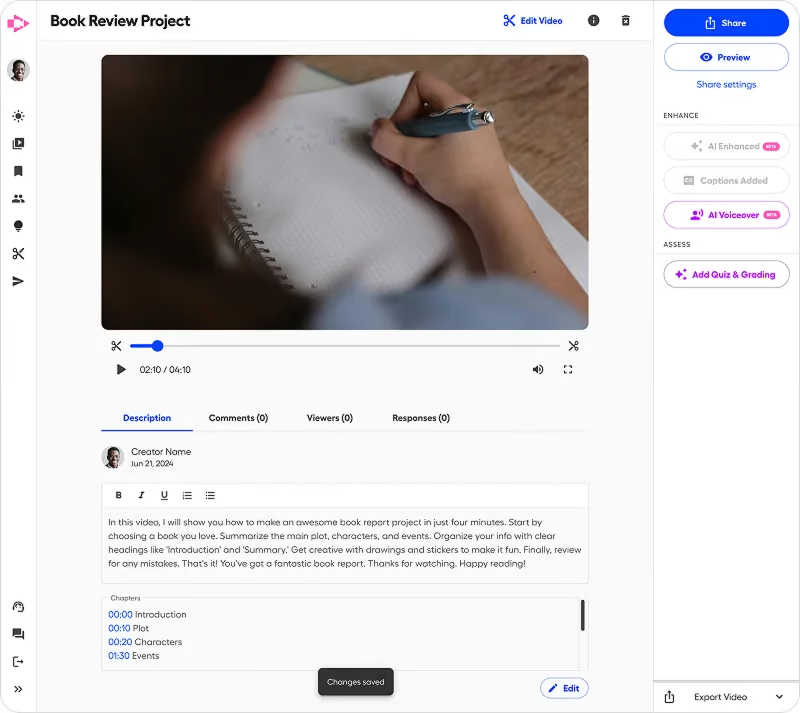
Create professional instructional videos without technical expertise. The AI Assistant auto-generates titles, descriptions, and captions, then translates into 50+ languages with built-in accessibility features. Perfect for flipped learning, absent students, or enrichment content.
Record lesson explanations for review
Teach a complex concept once, record it, and students can rewatch as many times as they need. This is especially valuable for math procedures, science processes, or grammar rules that require multiple exposures.
Create instructional videos from AI-generated outlines
Take that lesson outline you generated with ChatGPT and turn it into a video walkthrough. Students get a complete learning resource they can access anytime, anywhere.
Provide visual demonstrations of complex concepts
Some things are just easier to show than tell. Record yourself demonstrating a geometry proof, a chemistry experiment setup, or the proper format for a bibliography. Students see exactly what success looks like.
Build a library of reusable content
Create a video library organized by unit and standard. When students are absent, you're not repeating yourself, just sharing the relevant video. Future years benefit too, giving you a growing collection of ready-to-use content.
Start small with video:
Students come to class ready to work, and you spend face-to-face time on what they actually need help with.
Castify's AI automatically generates captions and can translate your video into 90+ languages. This means:
Tools: Gradescope, Castify (for video feedback)
Gradescope uses AI to streamline grading of quizzes, written responses, and assignments through pattern recognition and batch grading features. For richer feedback, Castify enables quick video comments that are often more meaningful and personal than written notes.
Faster grading with consistent rubric application
Gradescope's AI recognizes similar answers across student submissions, allowing you to grade one response and apply that feedback to all similar answers. If ten students make the same mistake on problem 3, you write the feedback once.
Personalized video feedback that students find engaging
Instead of writing "See me" or lengthy written comments, record a 30-second video showing the student exactly where they went wrong and how to improve. Students report that video feedback feels more personal and is easier to understand than written comments.
Detailed analytics on student performance patterns
See at a glance which problems stumped the class, which students are struggling with specific concepts, and where you need to reteach. This data informs your instruction without hours of manual analysis.
Reduced time spent on repetitive feedback
Stop writing "Check your work" or "Remember to show your steps" dozens of times. Create one video addressing the common error and share it with everyone who needs it.
Not every assignment needs video feedback. Use this decision framework:
Use written feedback (or Gradescope batch grading) for:
Use video feedback for:
Tools: Otter.ai, Fireflies.ai
Capture and analyze classroom discussions, oral presentations, and student collaborations. These tools provide real-time transcription and AI-generated summaries, eliminating the need for manual note-taking during student presentations or group work.
Document oral assessments for record-keeping
When students give presentations or participate in Socratic seminars, you need evidence of their performance. These tools automatically transcribe and timestamp everything, creating a permanent record you can reference for grading or progress reports.
Create summaries of class discussions for absent students
A rich class discussion happens when a student is absent? The AI generates a summary hitting the key points. Share it so absent students can catch up without you having to reconstruct the conversation.
Track student participation and engagement
See exactly who spoke, how often, and for how long. This data is invaluable for participation grades, identifying students who need encouragement to contribute, and recognizing patterns in classroom dynamics.
Generate talking points for parent conferences
Pull up transcripts from class discussions to show parents concrete examples of their child's contributions, critical thinking, or areas for growth. Instead of vague "they participate well," you have specific evidence.
Next time students give presentations:
You've just graded oral presentations while actually watching them, not frantically scribbling notes.
Tools: Curipod, Canva Magic Write
Transform your notes or content snippets into polished slides, discussion cards, graphic organizers, and interactive materials. Then use Castify to narrate and share them as complete learning resources.
Interactive presentations with embedded polls and activities
Curipod turns basic lesson content into engaging presentations with built-in formative assessments. Students respond to polls, drawing prompts, and open-ended questions directly in the presentation—giving you real-time data on understanding.
Visual organizers for complex concepts
Upload your text notes about a historical event or scientific process, and Canva's Magic Write helps you organize it into timelines, concept maps, or comparison charts. What would take 30 minutes of design work happens in 3 minutes.
Discussion prompts and debate materials
Generate thought-provoking questions, pro/con lists, or scenario cards for debates and discussions. The AI can create multiple versions at different complexity levels for differentiation.
Take-home resources for families
Create one-page summaries of units or topics that parents can use to support learning at home. The AI helps you translate educational jargon into parent-friendly language.
Don't wait for planning periods to create materials. Build them during instruction:
During the lesson:
After the lesson:
For next year:
The key to successfully integrating these tools isn't trying to use them all at once. Instead:
Start small: Choose one tool that addresses your biggest time drain
If grading consumes your evenings, start with Gradescope or video feedback. If lesson planning stresses you out, begin with ChatGPT for brainstorming.
Test and refine: Use it for 2-3 weeks to measure impact
Give yourself permission to experiment. Not every AI-generated lesson will be perfect. Not every video you record will be polished. You're building a new skill, and that takes practice.
Build gradually: Add additional tools once the first becomes routine
Once video feedback feels natural, add lesson planning AI. Once lesson planning is streamlined, explore discussion documentation. Layer tools strategically instead of overwhelming yourself.
Maintain quality: Always review AI-generated content before sharing with students
AI is a tool, not a replacement for your professional judgment. Every lesson, every assignment, every piece of feedback should reflect your understanding of your students and your instructional goals.
Week 1:
Week 2:
By week 3, the tool should feel more natural, and you'll have concrete evidence of time saved.
Remember, these tools are designed to reduce repetitive work, not replace your instructional expertise. Your judgment, creativity, and relationship-building skills remain irreplaceable. AI simply gives you more time to focus on these essential aspects of teaching.
By strategically implementing these five tools, you can reclaim hours each week. This is time that can be redirected toward instruction, student relationships, and your own well-being. The goal isn't just efficiency; it's creating sustainable teaching practices that benefit both educators and students.
Ready to reclaim your time and focus on what matters most: teaching? Castify makes it easy for teachers to create professional video lessons, provide personalized feedback, and build reusable content libraries.
Join thousands of educators using AI-powered video tools to save time, engage students, and make teaching more sustainable. No technical expertise required.

.avif)