New Castify features for January 2026: add poll questions to quizzes, collaborate on Submit topics, use teleprompter on tab/window recording, add images in the editor, control quiz translations, and navigate videos more easily.
We've been busy this month building features that make video creation, collaboration, and engagement even easier. Whether you're teaching, training, or creating content for your team, these updates give you more ways to connect with your audience and streamline your workflows.
Here's what's new in Castify this January.
Introducing Poll Questions
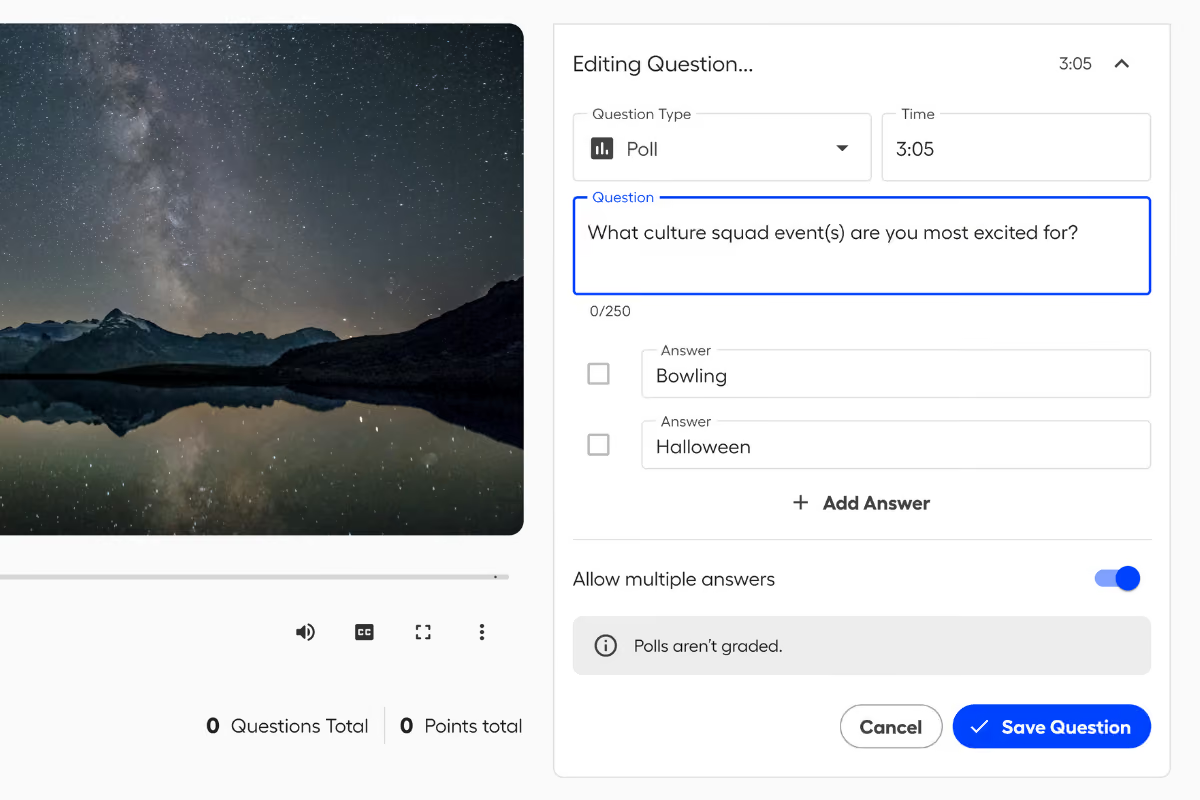
You can now add ungraded poll questions to your video quizzes and live learning sessions. Choose between multiple choice or multi-select formats to gauge understanding, spark discussion, or collect feedback without the pressure of a grade.
Use polls to check in with your audience before diving into a new topic, gather opinions to fuel discussion, or break up longer content with a quick engagement moment.
Perfect for: Formative check-ins, icebreakers, gauging interest on topics, or sparking conversation in live sessions.
Submit Collaboration: Add Reviewers to Submit Topics
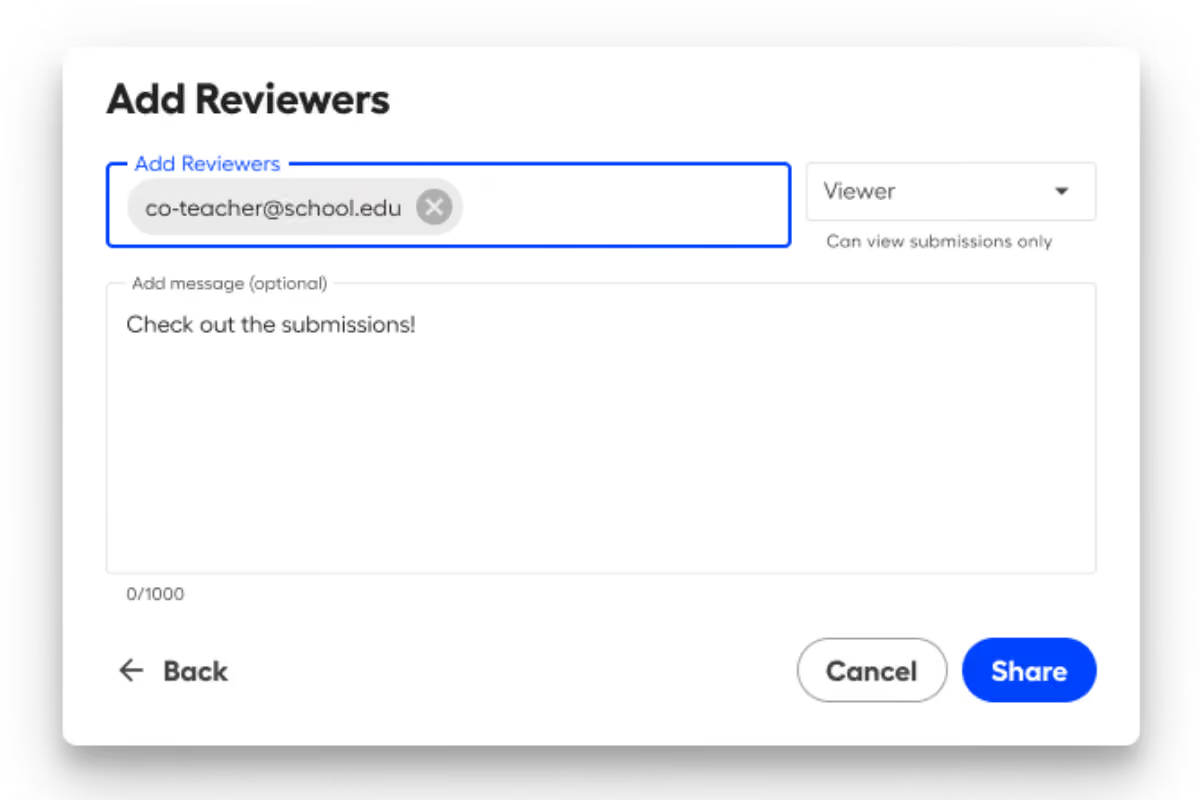
You can now add reviewers to your Submit topics, giving colleagues or team members visibility into submissions. Reviewers can be assigned as Viewers (view-only access) or Co-Owners (view and grade submissions).
This makes it easy to collaborate without sharing accounts or exporting files. Everyone who needs access gets it, with the right level of permission.
Perfect for: Co-teaching or co-training, getting a second set of eyes on submissions, administrative oversight, or collaborative grading workflows.
Teleprompter on Tab and Window Recording
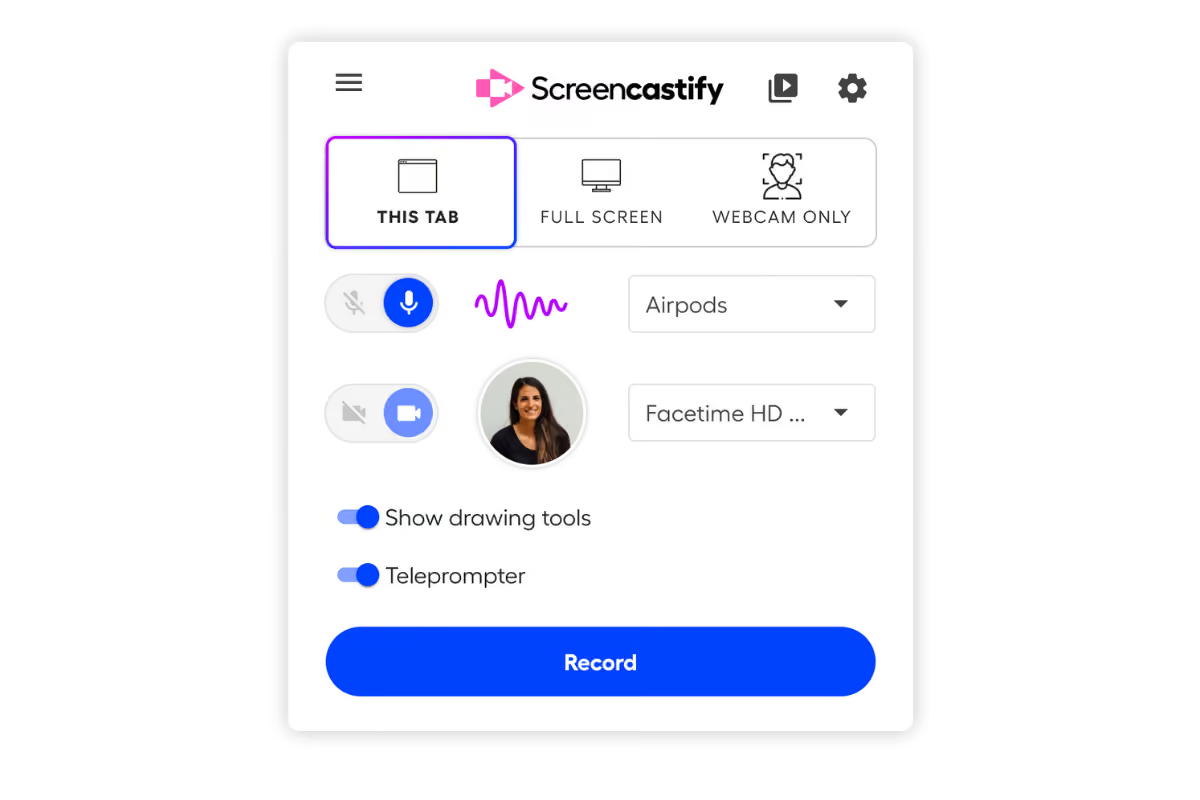
The teleprompter feature is now available when recording a tab or window, with a floating, auto-scrolling window that keeps your script visible while you record.
This is ideal for scripted content where you want to stay on-message without memorizing lines or reading off a second screen. Your script scrolls automatically at a pace you control, so you can maintain eye contact and sound natural.
Perfect for: Product demos, training videos with specific messaging, video presentations, tutorials, or any content where clarity and accuracy matter.
Add Images to Your Videos in the Editor
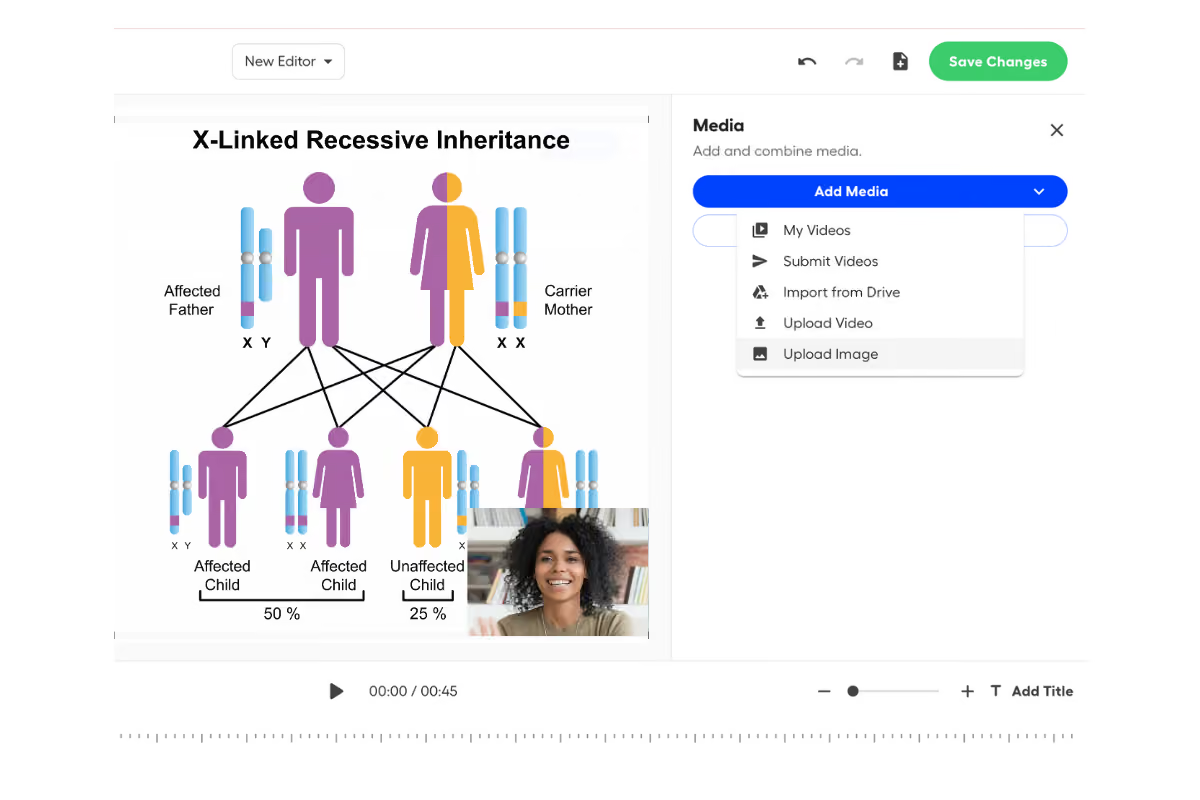
You can now add images directly to your videos in the Castify Editor. Upload an image from your device or import one from Google Drive, then extend it, trim it, split it, or layer it into your timeline like any other media file.
This gives you more creative control without jumping between tools. Drop in diagrams, slides, screenshots, or branded graphics to make your videos more dynamic and polished.
Perfect for: Title cards, inserting diagrams or infographics, reinforcing key points with visuals, creating chapter breaks, or adding branded assets.
Control Quiz Translations
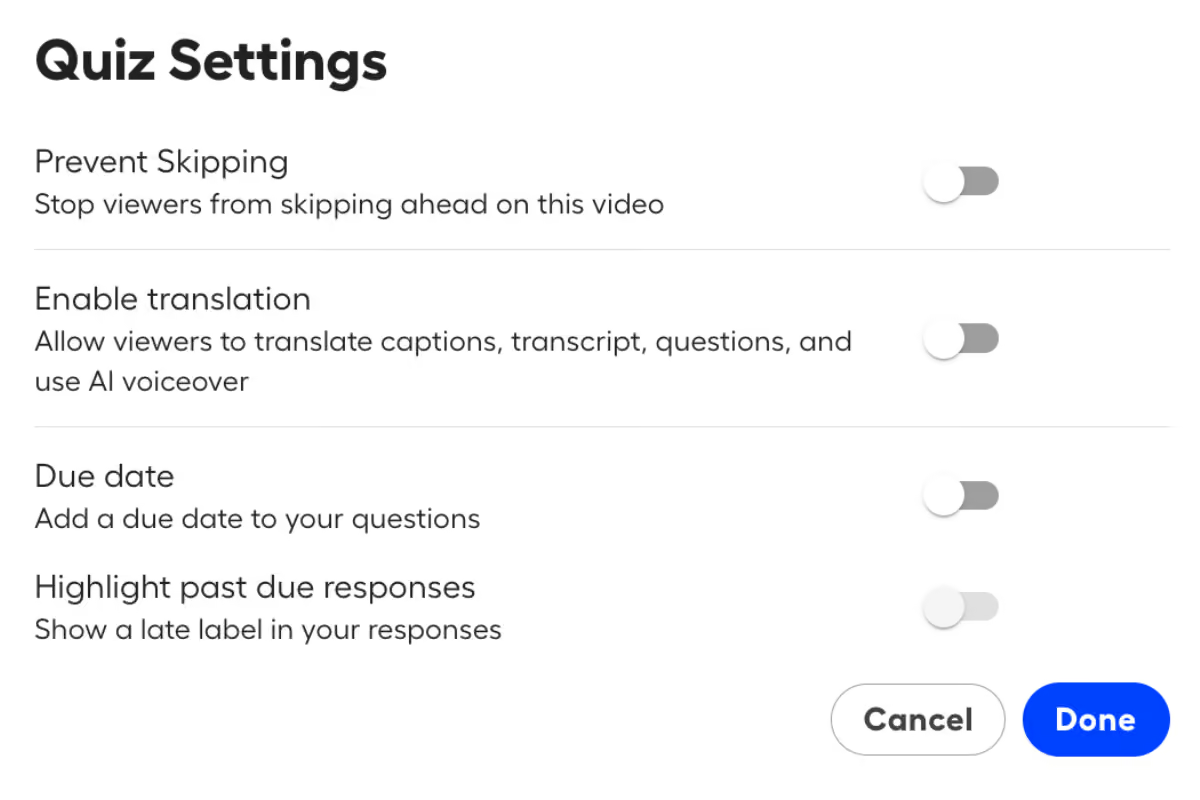
You can now enable or disable translations in quiz settings. The default is to have translations enabled, but if you'd prefer to disable them, the language dropdown will appear disabled with a tooltip. Captions remain available even when translations are turned off.
Perfect for: Maintaining consistency in language-specific assessments or controlling how multilingual audiences interact with your quizzes.
Video Tile & Navigation Updates
We've made a few updates to help you find and track your videos more easily:
Submit topics now appear in Recents, making it easier to jump back into active assignments or projects.
New tile designs with icons that reflect your permissions, so you can quickly see what actions are available.
Watch progress bars show how much of a video you've watched and automatically pick up where you left off on the watch page.
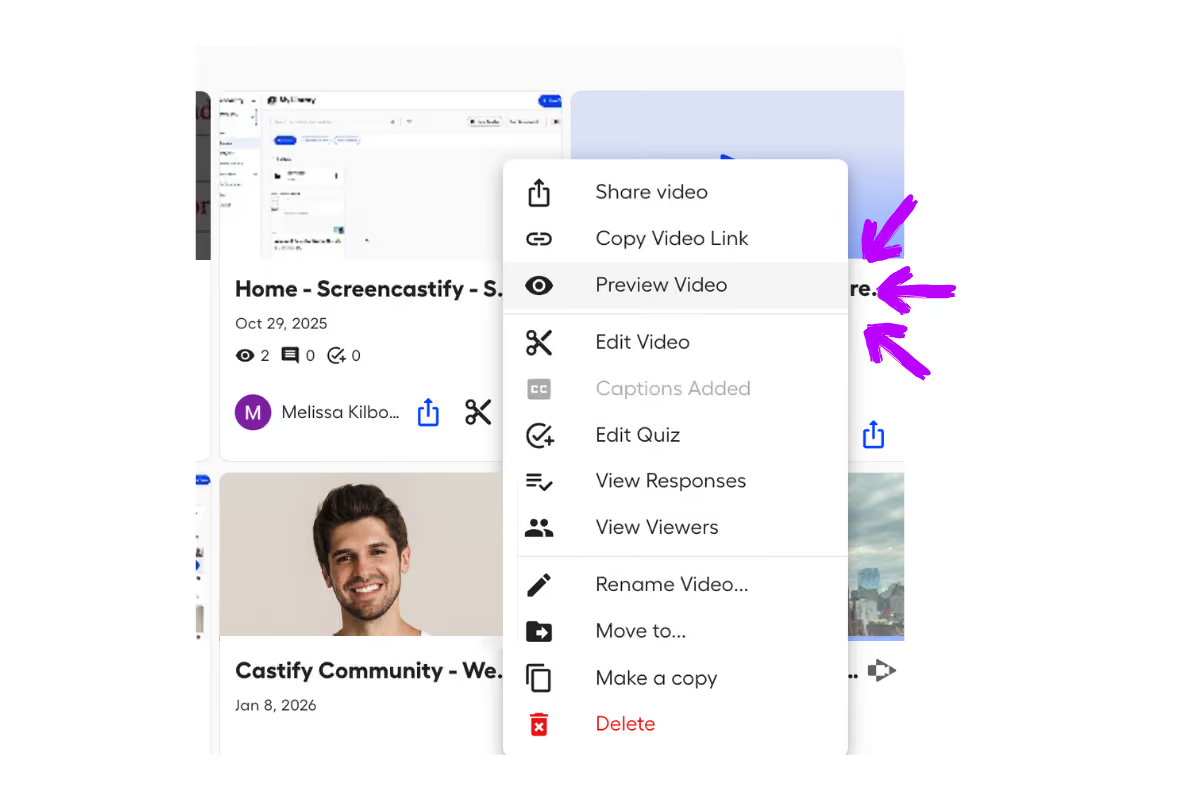
Quick access to the watch page via a new "Preview Video" action in the action menu—helpful if you own a video and want to view it without opening the full editor.
If you have feedback or ideas for what you'd like to see next, we'd love to hear from you at support@screencastify.com.


.avif)
.avif)





