Create On-Brand Videos with Castify Enterprise Hub
Product Updates
Jul 7, 2026
Create On-Brand Videos with Castify Enterprise Hub
Your videos should look like your organization, not just sound like it. Custom Branding in Castify Enterprise Hub brings your logo, colors, and backgrounds into every recording—from watch page to watermark—so every video feels polished and unmistakably yours.
Every organization has its own identity, its own colors, its own logo, and its own personality. But when it comes to video, keeping that identity consistent hasn’t always been easy. Creators often have to upload logos, edit backgrounds, or rely on professional video editors just to make a quick recording feel polished and on-brand.
With Custom Branding in Castify Enterprise Hub, we are changing that.
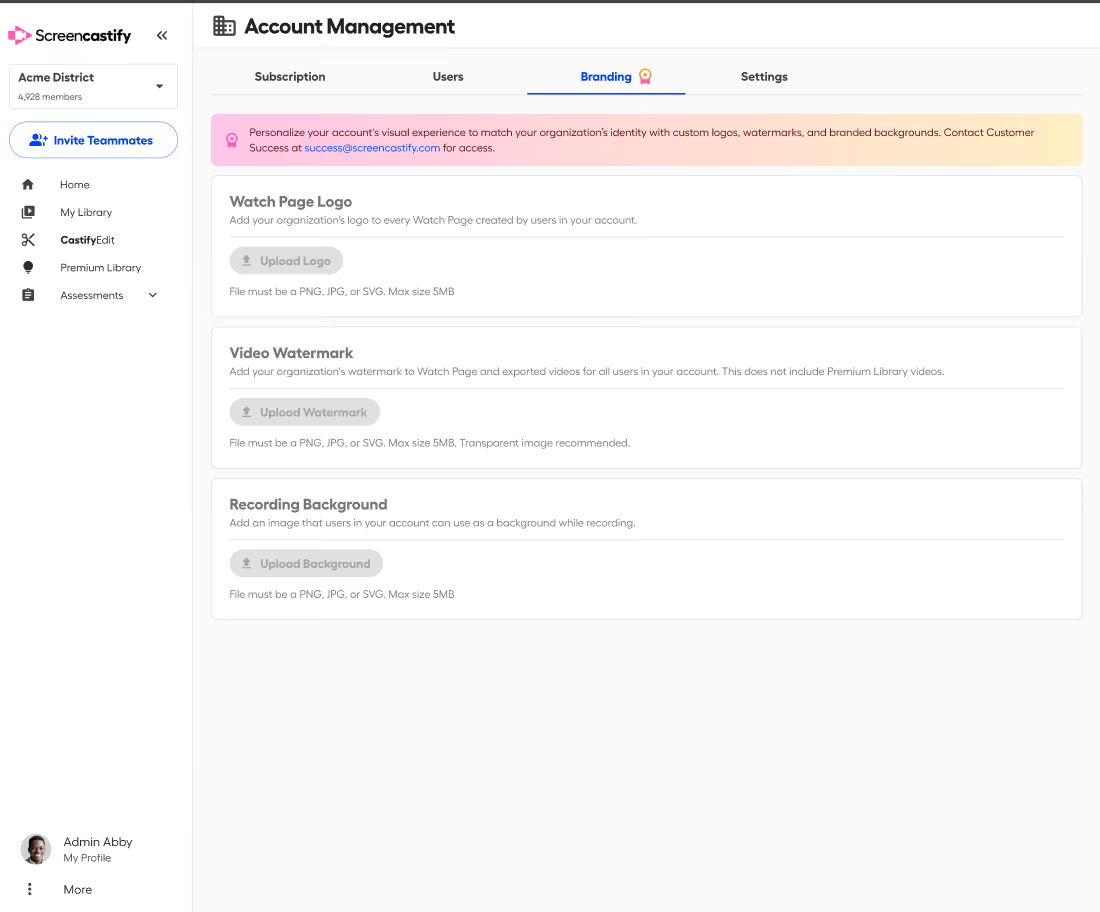
Enterprise admins can now bring their organization's branding into the entire video experience from recording to playback. This ensures every video looks professional, consistent, and unmistakably yours.
One brand. Every video.
Whether you are onboarding new employees, sharing company updates, creating customer tutorials, or recording lessons, every video represents your organization. Custom Branding ensures it feels that way. With a few simple admin settings, your team gets access to branded experiences automatically, with no extra design work or editing required.
Welcome viewers with a branded watch page
Your audience's experience starts before they even hit play. With Watch Page Branding, you can customize the Castify watch page with your organization's logo. Instead of landing on a generic video page, viewers are greeted with a familiar experience from the very beginning. It is a small detail that makes a big difference, especially when you are sharing videos with customers, partners, or students.
Give every recording a polished backdrop
Not everyone records from a picture-perfect office, classroom, or workspace. To solve this, admins can upload approved, branded backgrounds that creators can select during webcam recordings. This gives every video a clean, professional look regardless of where it is recorded. Whether someone is working from home, in a busy classroom, or on the go, your team's videos stay visually consistent without anyone having to think twice about it.
Keep your logo where your videos go
Videos have a way of traveling. They get shared in emails, embedded in knowledge bases, posted in learning platforms, and passed between teams. Sometimes they even end up far beyond the audience they were originally created for. With Custom Video Watermarks, your organization's logo stays attached to every video, reinforcing your brand wherever it is viewed. It is automatic, consistent, and one less thing for creators to remember.
Less editing. More creating.
The best branding is the kind that happens behind the scenes. Instead of asking every creator to follow complex branding guidelines or spend extra time editing videos, Enterprise admins can set the standard once and let Castify take care of the rest. This means creators can stay focused on what matters most, like sharing ideas, teaching concepts, explaining processes, and telling stories.
Branding that works as hard as your team does
Every video is a chance to build trust with your audience. A consistent visual experience helps your organization look polished, professional, and recognizable, whether someone is watching their first video or their hundredth.
With Custom Branding in Castify Enterprise Hub, it is easier than ever to make every recording feel like it is coming from one trusted source. Because your videos shouldn't just sound like your organization. They should look like it, too.

.avif)
.gif)

.avif)